🧩 Widgets & Badges
Embed Open Source Pulse data in your GitHub profile or README. All widgets auto-update every 6 hours.
🏆 Repository of the Day
Daily showcase of the #1 trending repo with stars, rank, and quality score.

Markdown
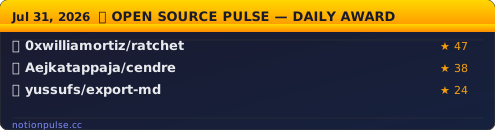
[](https://notionpulse.cc) 🏅 Daily Award
Gold-header widget showing the top 3 repos of the day.
Markdown
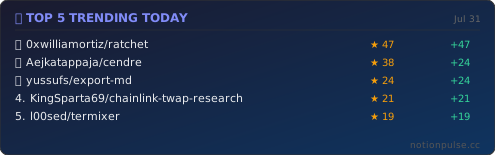
[](https://notionpulse.cc) 🔥 Top 5 Trending
Top 5 repos with medal rankings and star counts.
Markdown
[](https://notionpulse.cc) 🚀 Biggest Mover
The repo that jumped the most positions today.

Markdown
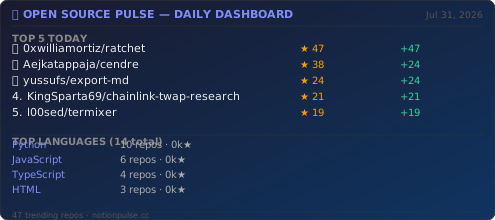
[](https://notionpulse.cc) 📊 Full Dashboard
Complete daily dashboard with top 5, language stats, and repo count.
Markdown
[](https://notionpulse.cc) 💻 Language Badge
Shows the #1 trending language or a specific language.

Markdown (top language)
[](https://notionpulse.cc/language-stats) Markdown (specific language)
[](https://notionpulse.cc/language-stats/python) 🏅 Rank Badge
Inline shields-style badge showing rank, language, and stars for any repo.

Markdown (replace owner/repo)
 Replace OWNER/REPO with the repo full name, e.g. 0xwilliamortiz/ratchet
✅ Quality Badge
Shows quality score and stars for any trending repo.

Markdown (replace owner/repo)
 Replace OWNER/REPO with the repo full name, e.g. 0xwilliamortiz/ratchet
⭐ Stars Badge
Simple stars + repo name badge for any trending repo.

Markdown (replace owner/repo)
 Replace OWNER/REPO with the repo full name, e.g. 0xwilliamortiz/ratchet
💡 How to Use
In a README.md
Paste the Markdown code above. Widgets auto-refresh every 6 hours when we collect new data.
In a GitHub Profile README
Create a repo with your username (e.g. iwanro/iwanro), add a README.md, and paste the widget code.
On Any Website
Use as an <img> tag: <img src="https://notionpulse.cc/widgets/repo-of-the-day.svg" alt="Repo of the Day" />